
Private Commands in Drag Drive Simulator
Prop spawner save/load, listed bang commands, Phone App: Private Server Command, and why listings say VIP is not allowed.
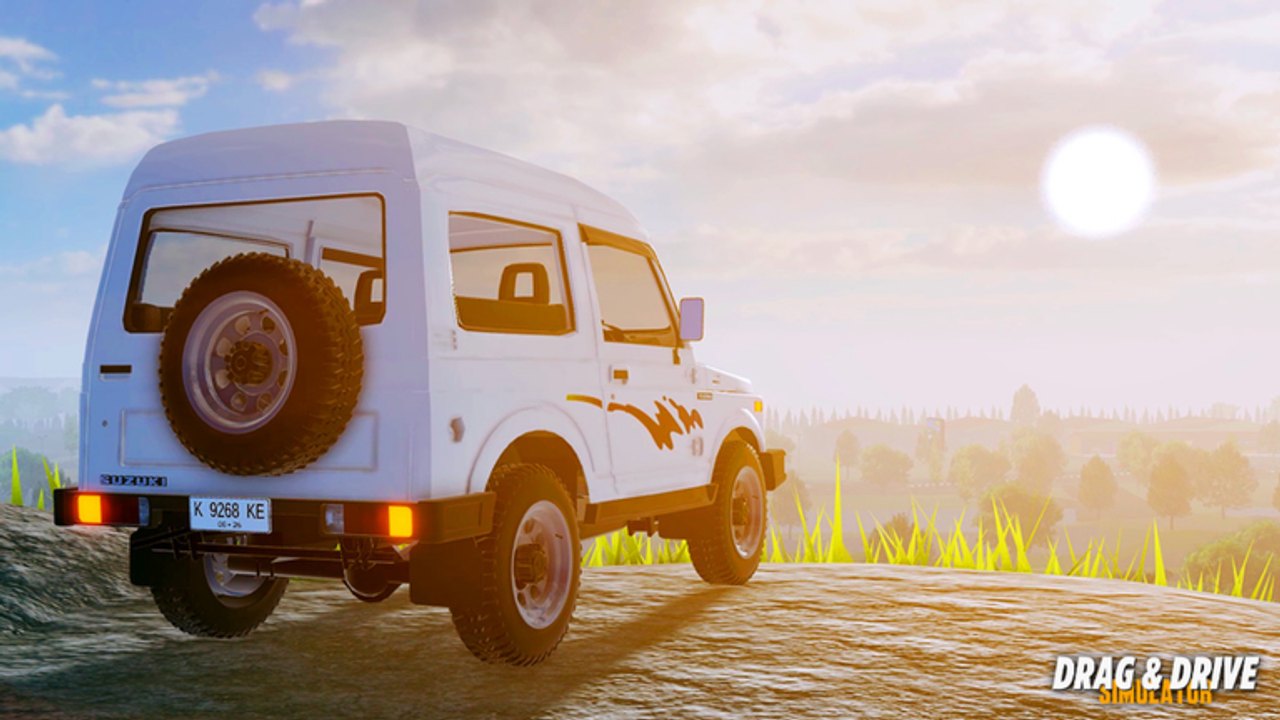
Drag Drive Simulator’s public listings and its patch text do not tell the same private-server story, so this page documents both instead of inventing a shop flow. ADV Gamers Team’s Roblox place has been live since 15 January 2025 on 25-player online servers. RP is cash. Gameplay pays no Robux. The current headline is BETA V1.1.8 Independence. The private tools players still ask about shipped in V1.1.6 and V1.1.7.
Public OP.GG and Roblox-style listings for the place say VIP Servers Not Allowed. The V1.1.7 description still lists bang commands and a Phone App named Private Server Command. V1.1.6 public notes describe a save/load prop spawner. Confirm what your live client actually exposes. Do not treat this wiki as a purchase receipt.
Verify the live BETA string on the official pages. Feature lists for those two patches live on the V1.1.6 notes and the V1.1.7 notes. Jobs that need a crowd, including RideGo, still belong on public 25-player streets — see the jobs guide.
What the listings say
If the Roblox game page and mirrors such as OP.GG show VIP Servers Not Allowed, you should not expect a standard Roblox private-server subscription button that just works. This wiki will not invent:
- a Robux price for a VIP server
- a step-by-step buy-VIP-here path
- a promise that friends-only rooms are always available
- admin powers that are not in the official bullet list
If your client has no private-server UI, believe the listing. If your client shows a Phone App or chat commands, believe the client. Report the mismatch on ADV Gamers channels rather than following a thumbnail that sells a secret VIP key.
V1.1.6 — save/load prop spawner
Public notes for BETA V1.1.6 [LIMITED x SUPERMAN UPDATE] describe a drag-mode prop spawner with save/load. That is a creator and session tool, not a paycheck. It sits next to the Superman-style rider pose and that window’s limited batch in the same public coverage.
Use save/load when you are building a strip layout, a photo set, or a practice pad you want to recall. Do not assume props persist across every public 25-player server or that they replace Sentul Track. Do not assume a loaded prop set pays RP. Jobs and races pay RP. Props decorate a room.
If the spawner is missing in V1.1.8, the live client won. This page records the official-style bullet, not a guarantee every menu survived Independence lighting work. Walk the map first so you know whether you are placing props on the original city, Slamet Riyadi, or a race hub that already has its own strip.
V1.1.7 — listed bang commands
The V1.1.7 description names four private commands in one bullet:
- !deletevehicle
- !disablevehicle
- !enablevehicle
- !sky
Type them only if the live chat or command UI accepts them. This wiki does not invent extra flags, player-target syntax, or cooldown numbers. Read the names as published:
- deletevehicle — remove a vehicle from the session. Exact target rules belong to the live client.
- disablevehicle / enablevehicle — toggle vehicle availability. Exact scope belongs to the live client.
- sky — listed beside the vehicle commands. Confirm the result in-game rather than assuming a weather preset from another title.
Mis-typing a bang command on a public 25-player street is a good way to annoy a lobby if the command is even hooked there. If the command silently fails, you are probably in a public room where VIP is not allowed, which matches the listing.
Do not paste admin dumps from other Roblox games. DDS published four strings. Anything else is fan fiction until ADV Gamers Team prints it.
Phone App: Private Server Command
The same V1.1.7 bullet list adds New Phone App: Private Server Command. That is the official app name. Open the in-game phone only after you have confirmed the app is on your build. Do not hunt a second store pass this page will not name. Do not confuse it with RideGo pings, code redeem, or the shopping-cart Store.
If the app is present, treat it as the menu companion to the bang commands, then still confirm each action. If the app is absent, the VIP Servers Not Allowed listing is the simpler explanation. Either way, screenshot the live phone grid before you argue in Discord that a wiki promised a button.
How this collides with public play
RideGo Driver, tournament pools, and event crowds need other people. Empty private-style rooms are tuning labs and prop labs. They are bad taxi nights and bad prize-pool nights. If you came to work jobs or to learn Slamet Riyadi and the original city on the map, stay public.
Use private tools, when they exist, for:
- prop spawner layouts you want to save and load
- deleting a stuck test vehicle with the listed command
- sky or vehicle toggles while you photograph a tune
- quieter clutch practice
Then return to a populated 25-player server for fares, codes that need a fresh join, and Independence traffic. A command that deletes a vehicle does not delete the need to redeem strings or to launch at Sentul. Taxi steps live on the RideGo taxi guide, not in a bang-command menu.
Confirm in the live client
- Read the Roblox description and the VIP / private-server line on the public listing.
- Join the live V1.1.8 place.
- Look for the Phone App name Private Server Command.
- If chat is available, test only the four listed bang commands — not a copied admin dump from another game.
- Look for the V1.1.6 prop spawner save/load UI.
- Whatever is missing, stop. Do not buy a third-party VIP key.
ADV Gamers Team’s official pages are the URL check. Discord and the group wall are faster than a wiki when a BETA removes a menu. This guide exists so you know the published names: prop spawner save/load, !deletevehicle, !disablevehicle, !enablevehicle, !sky, and Phone App: Private Server Command — plus the public listing that still says VIP Servers Not Allowed.
V1.1.8 Independence added quest dressing, limiteds, and lighting. It did not publish a new VIP shop on this wiki. Until a future description says otherwise, document the older bullets, verify them after login, and keep RP coming from jobs, races, and codes rather than from a private-server fantasy the listing may refuse.
Frequently Asked Questions
Quick answers to the most common Drag Drive Simulator questions.
Are VIP servers allowed in Drag Drive Simulator?
Public OP.GG and Roblox-style listings say VIP Servers Not Allowed. The V1.1.7 description still names private commands and a Phone App. Confirm in the live client; this page will not invent a purchase path.
Which bang commands does the V1.1.7 description list?
Four: !deletevehicle, !disablevehicle, !enablevehicle, and !sky. Do not add extra admin syntax from other games. Patch context: V1.1.7 notes.
What is Phone App: Private Server Command?
That is the app name printed in the V1.1.7 bullet list. Open the in-game phone and look for it. If it is missing, the VIP-not-allowed listing is the simpler explanation.
What did V1.1.6 add for props?
Public notes describe a save/load prop spawner in the V1.1.6 window. It is a session tool, not an RP job. Details: V1.1.6 notes.
Will this wiki tell me how to buy a DDS VIP server?
No. We will not invent Robux prices or buy-VIP steps. Check the live Roblox listing and the official pages.
Do private commands help RideGo or tournament pools?
No. Those loops need other players on public 25-player servers. Use private tools for props and practice, then go public for fares and races. Taxi steps: RideGo taxi guide.